How do I cancel a Recurring order on Jupiter?
You can cancel a Recurring order in two ways:
From the Recurring page
Go to jup.ag/recurring and connect your wallet
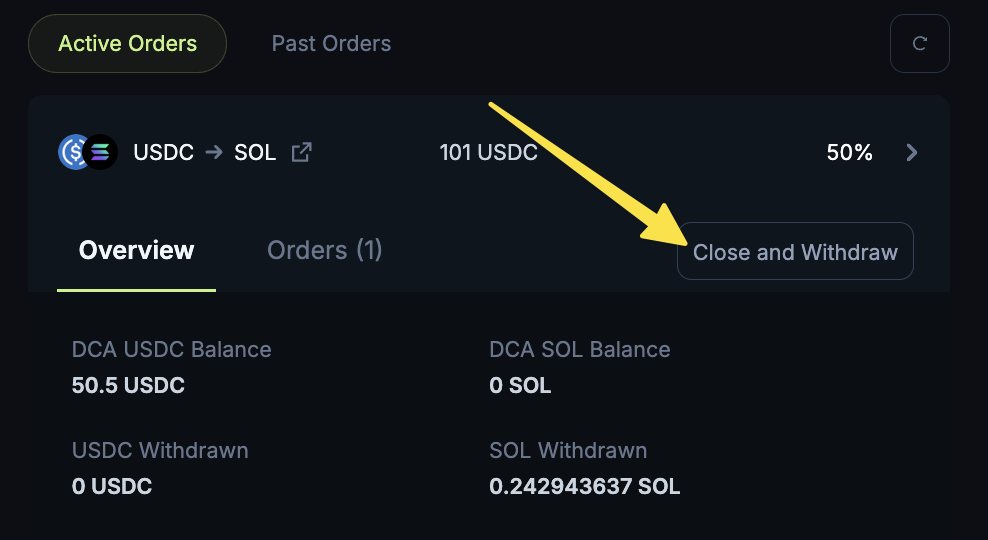
Open the Active Orders section under the Recurring widget
Select the order to cancel, click on Close and Withdraw to cancel the order.
From the Portfolio drawer on the top right
On jup.ag, open the Portfolio drawer
Go to the Recurring section
You can either cancel an individual order or all open orders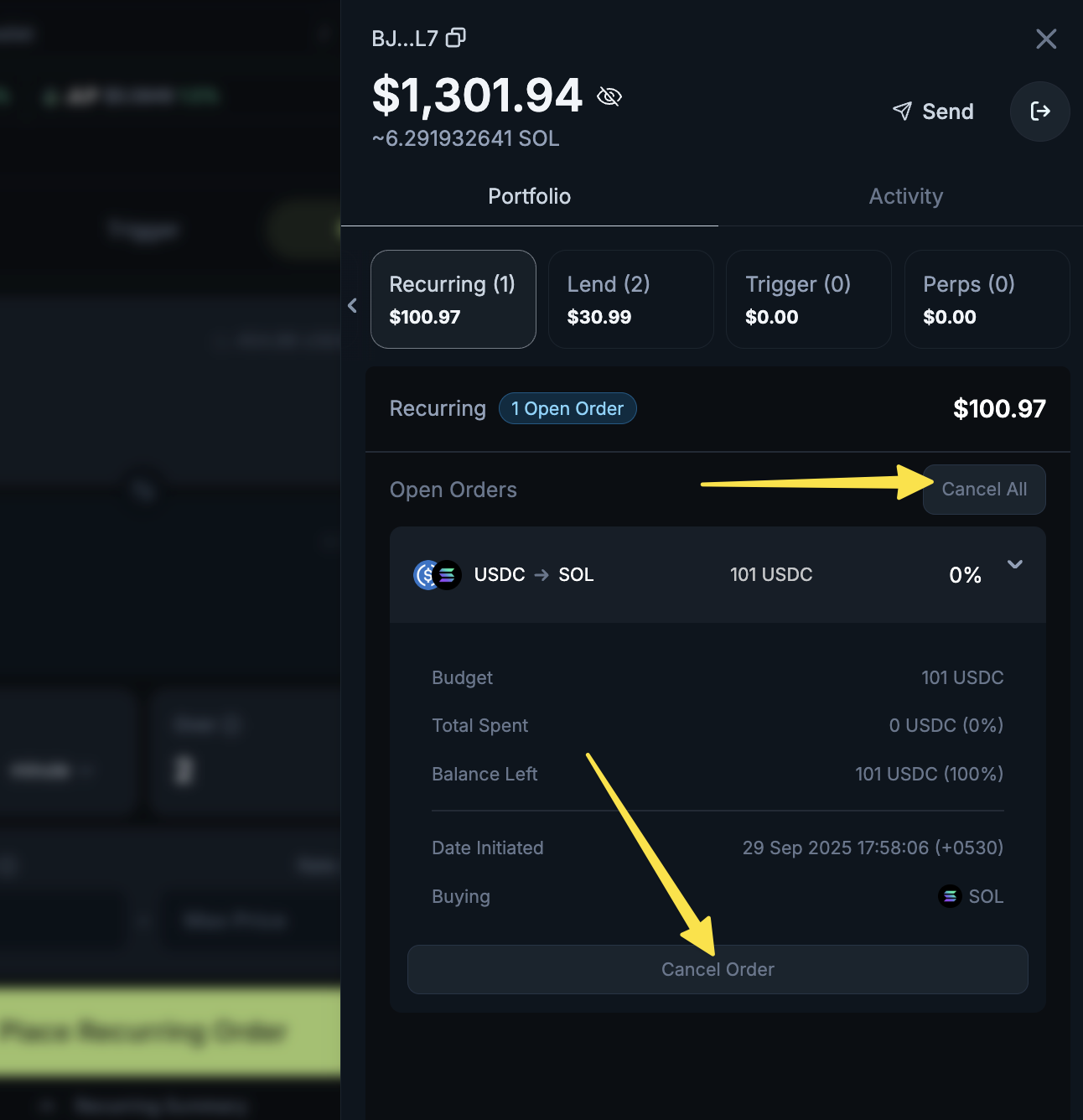
https://support.jup.ag/hc/en-us/p/get_started
/hc/theming_assets/01JWVKNXBM9HQ0RXQX01CS5ENB
Start here
Create a wallet & make your first trade
custom
https://support.jup.ag/hc/en-us/p/faq
/hc/theming_assets/01JWVKP5RG9VH608P8Z01K5RQ4
FAQs
Your top questions answered
custom
https://support.jup.ag/hc/en-us/requests/new?ticket_form_id=18069133114012
/hc/theming_assets/01JWVKNXBM9HQ0RXQX01CS5ENB
Submit a request
Get help!